
Studio · Channels and integrations
Any channel in.Any system out.
Studio meets customers, partners and systems where they already are, and finishes the work in the systems you already run.
- Phone and IVR
- Web and app
- Your AI
Studio · New connector
curl https://core.example.com/customers/{id}Get customer
- name Dana Lee
- address 18 Elm St
- plan Gold





The doors
Ten doors in.One governed process.
Callvu AI chat
Callvu AI Chat starts the process in conversation, then hands the customer a screen the process controls.
Click any door to see how it starts the process.
Example: one webhook, a full process
A cancelled flight starts the whole cancellation.
The airline cancels a flight and its system fires one webhook. Studio starts a cancellation run for every affected booking, notifies the travel management companies it is integrated with, offers each traveler a rebooking or a refund under your policy, and writes every outcome back. No agent opens a ticket.
- Flight cancelled: webhook received
- One run per affected booking
- Travel management companies notified
- Rebook or refund, under your policy
- Outcome written back, on the record
Test as you build
Call the live API.Route every answer.
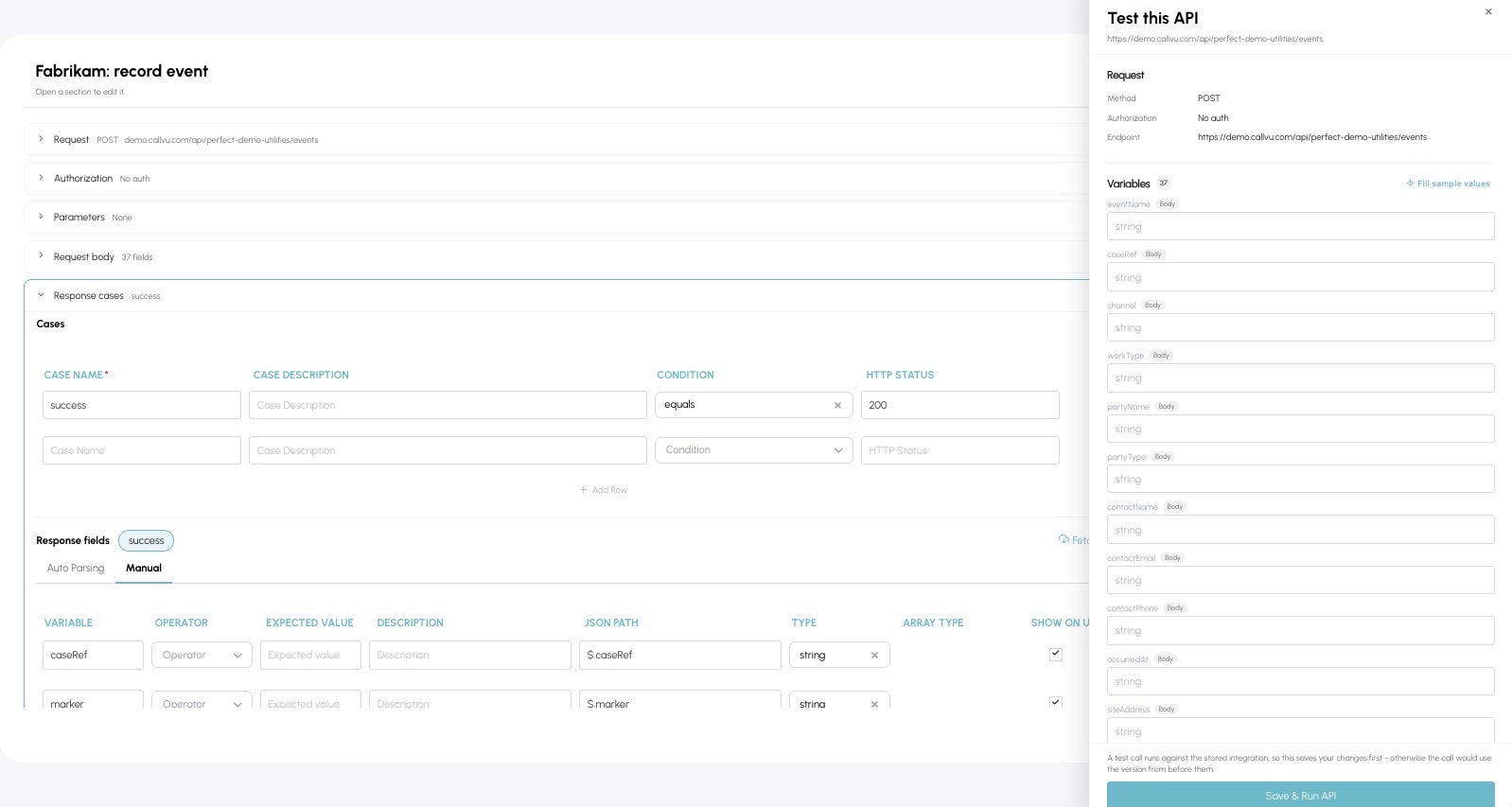
Run the call from the wizard, map fields from the real response, and define what happens on success and on failure. Every integration also exports and imports as JSON, so you can define it outside Studio or move it between environments without rebuilding it.
Your own analytics
The Analytics API.Your dashboard.
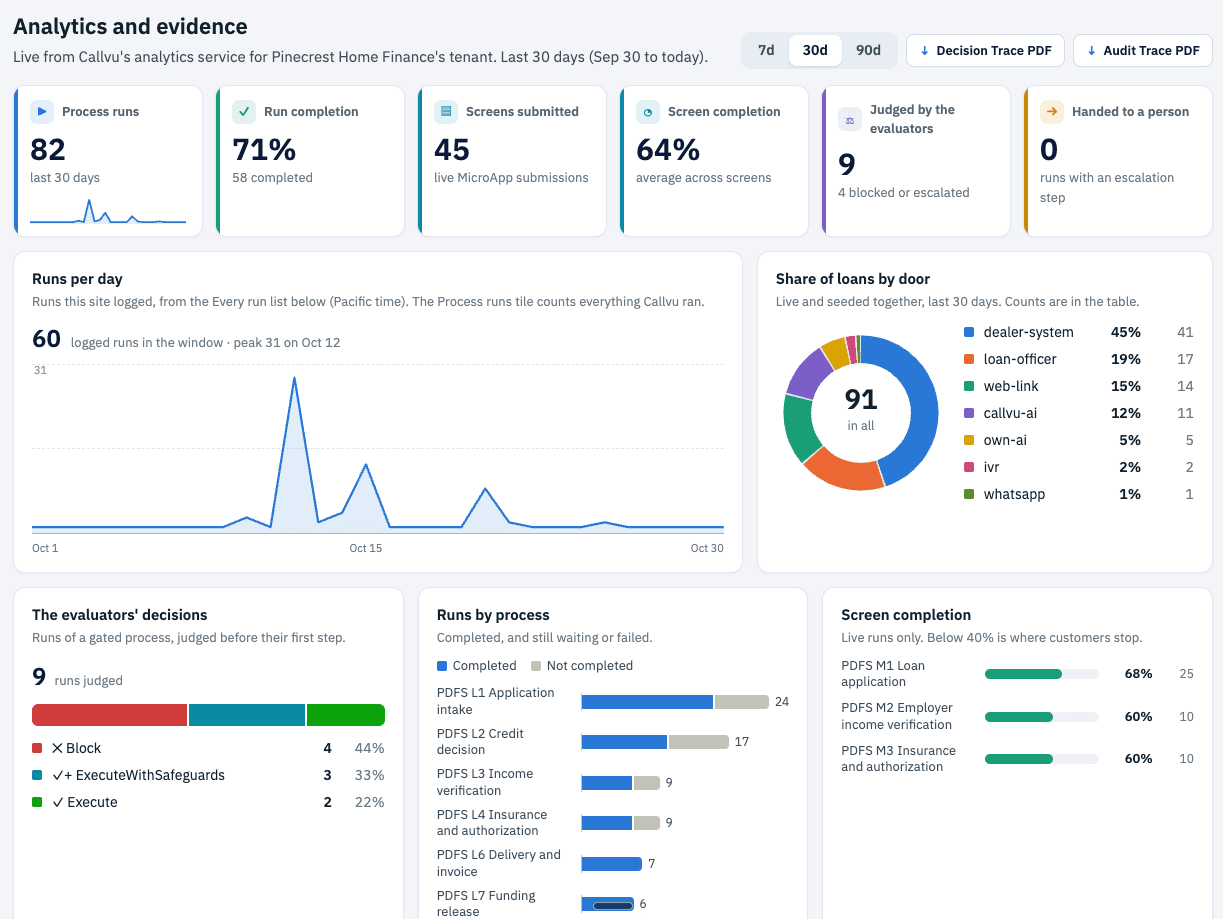
Data out, not just data in. Every run, screen, evaluator decision and handoff is available through the Analytics API. This dashboard was built on it, from a live demo tenant: runs by day, completion by screen, the evaluators' decisions and the door each request came through.
- Decision Trace and Audit Trace PDFs for any case
- Completion by screen, so you see where customers stop
- Feed your BI tool or your workforce management system
The outcome
No rip and replace. Studio sits between your channels and your systems of record, and makes them finish the job together.
Talk to an architect
Tell us what you run. We will show you how Studio connects to it, and what it can start.